What You'll Need
A valid email address or phone number
A web browser (Chrome, Firefox, Safari, Edge)
A strong password ready (8+ characters, uppercase + number)
A government-issued ID for verification (passport, driver's license)
Registration Steps
Go to the Official Binance Website
Open your browser and visit binance.com. On the homepage, enter your email address or phone number and click [Sign Up].
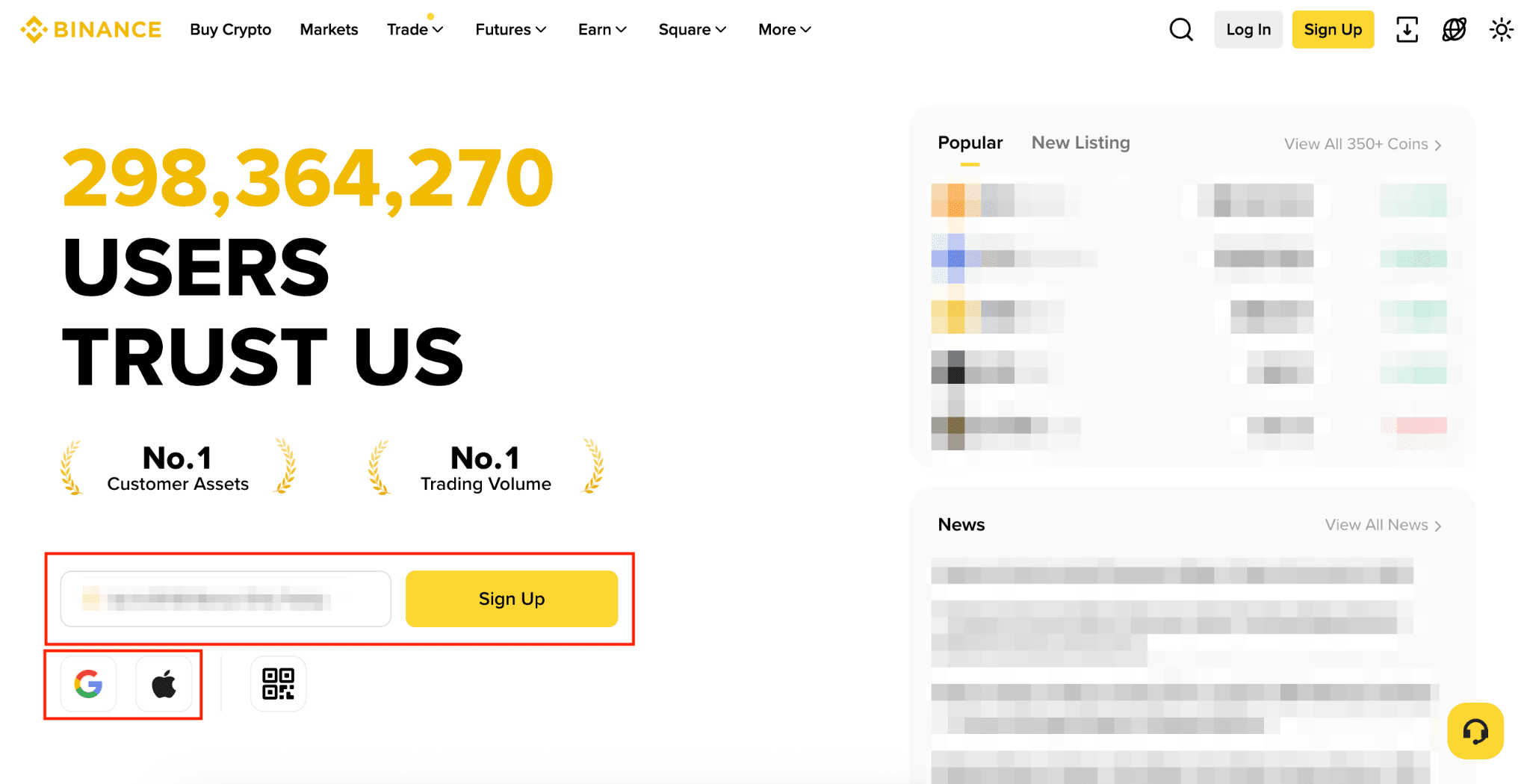
Always type binance.com directly into your browser — never click links from emails or ads. Phishing sites mimic the real Binance interface to steal credentials.
Accept the Terms of Service
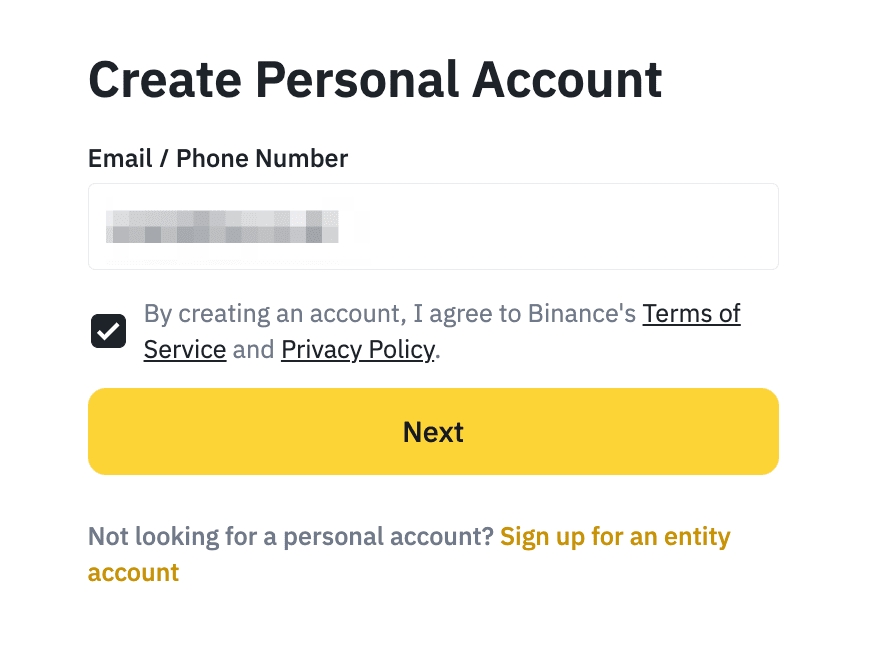
Your email/phone will be automatically filled in. Read and agree to the Terms of Service and the Privacy Policy by checking the box, then click [Next].
Enter the Verification Code
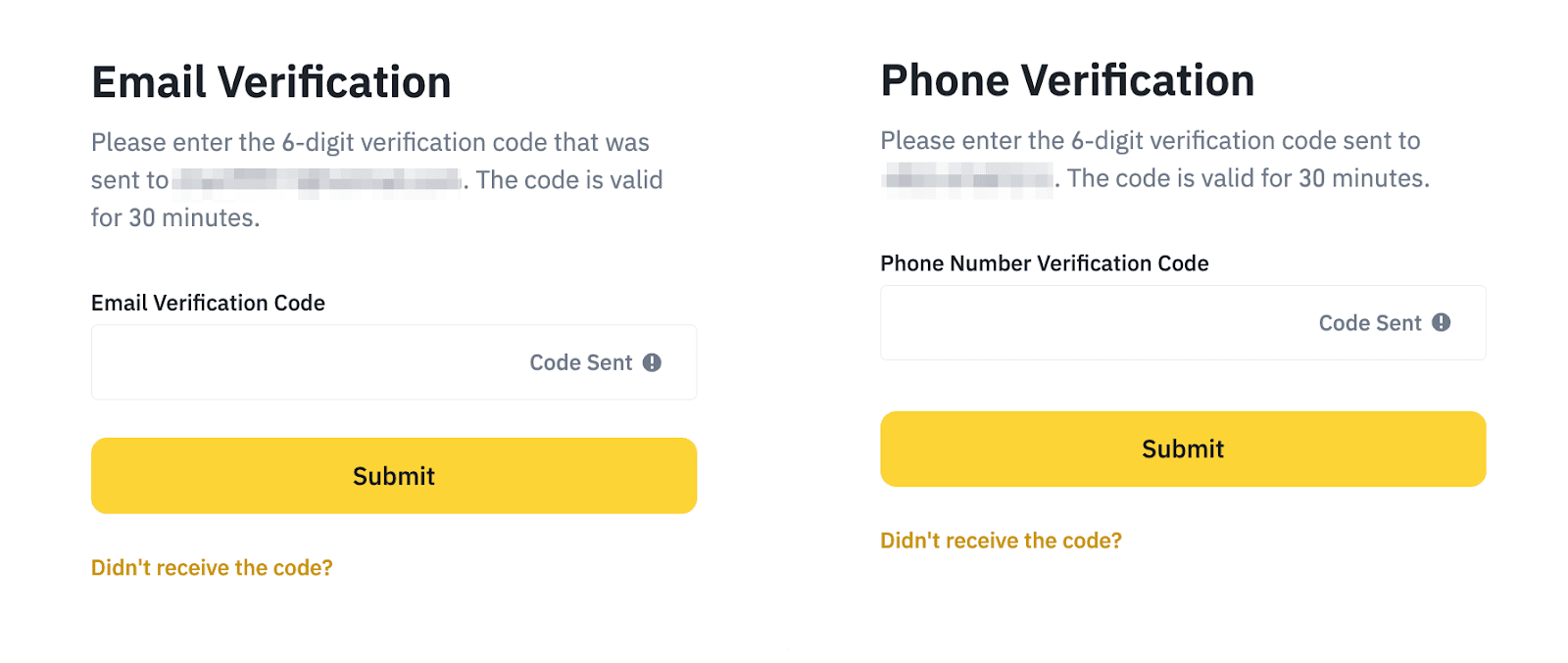
Check your email inbox (or SMS) for a 6-digit verification code. Enter it within 30 minutes and click [Submit]. If the code doesn't arrive within 60 seconds, check your spam folder and click Resend.
Create a Secure Password
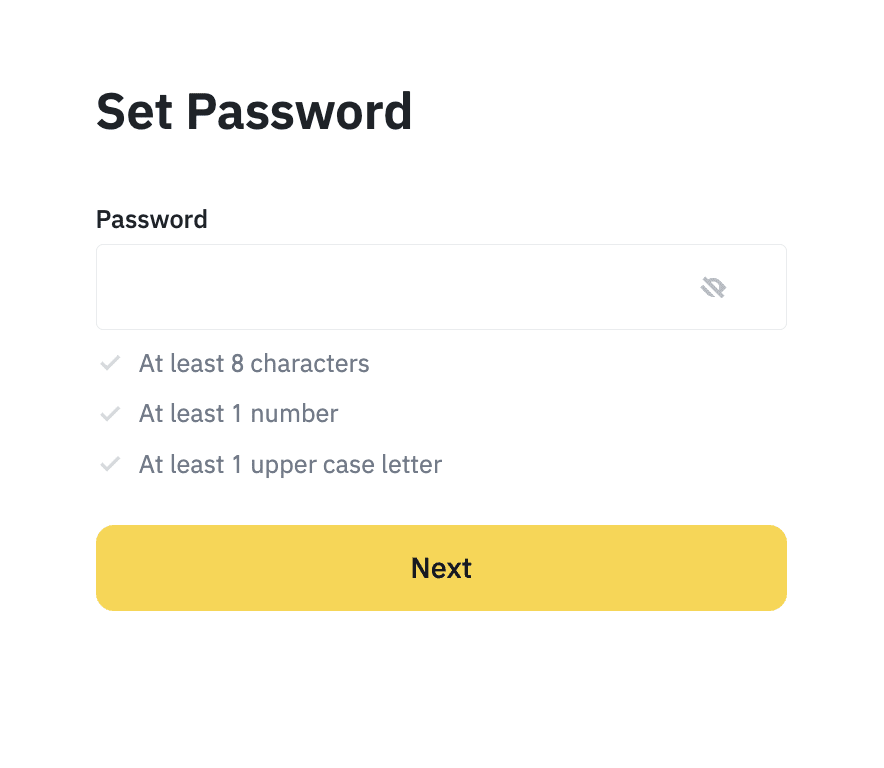
Set a strong password for your account. It must contain at least 8 characters, including at least one uppercase letter and at least one number. Use a unique password you don't use anywhere else, and store it in a password manager.
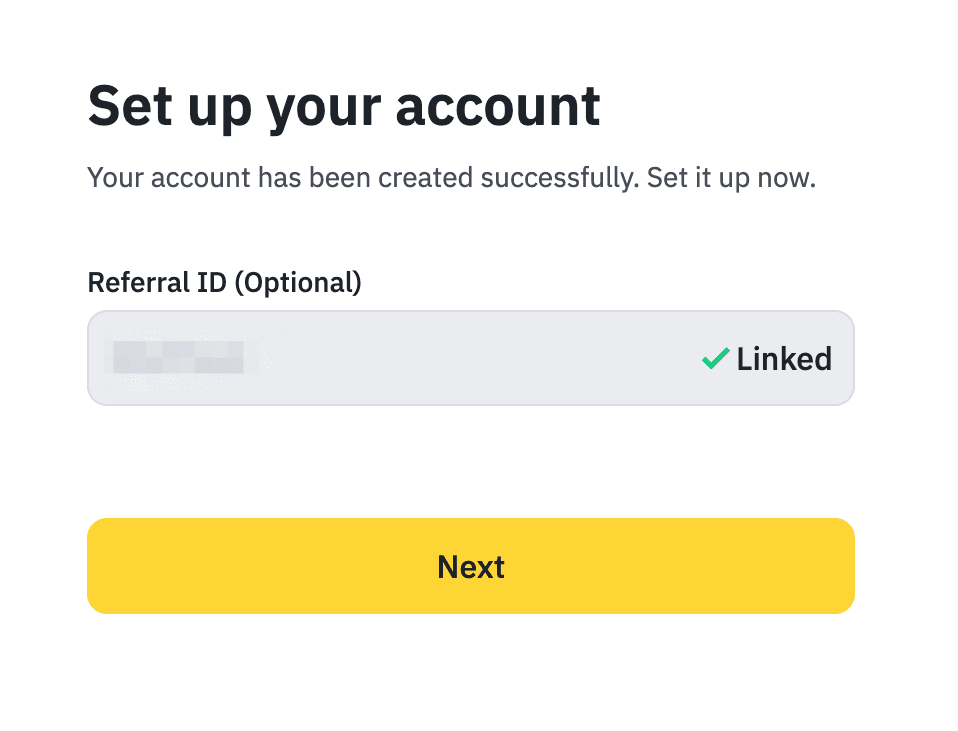
Your Account is Ready
Your Binance account is now active! If you were referred, the referral code will be automatically linked. Click [Next] to finish and proceed to verify your identity.
Alternative Sign-Up Methods
Sign up instantly using your existing Google account. No separate password needed — Binance will link to your Google credentials.
✓ Apple
Use your Apple ID to register. You can choose to hide your real email using Apple's private relay feature.
✓ Mobile App
Download the official Binance app from the App Store or Google Play and complete registration directly from your smartphone.
After Registration
✓ Deposit Funds
Add crypto or fiat to your Binance wallet to start trading. Supports bank transfer, card payment, and crypto deposits.
✓ Enable 2FA
Set up two-factor authentication via the Binance Authenticator, Google Authenticator, or SMS for enhanced security.
✓ Start Trading
Explore spot trading, futures, staking, and more. Use the exchange's powerful tools to buy, sell, and manage your crypto portfolio.
Troubleshooting
✓ Verification Email Not Arriving
Check your spam/junk folder. Add no-reply@binance.com to your contacts. Wait up to 5 minutes and request a resend if needed.
✓ Phone Number Already in Use
You may have registered before with that number. Try logging in via email instead, or use Binance support to recover access.
✓ KYC Verification Rejected
Ensure your ID photo is clear and unobstructed. Re-upload with better lighting. Make sure the ID is not expired and matches your personal details exactly.
Frequently Asked Questions
Is Binance available in my country? +
Is it free to create a Binance account? +
How long does KYC verification take? +
Can I use Binance without completing KYC? +
What documents are accepted for KYC? +
Derivatives & Leveraged Products — Important Risk Warning
Derivatives are complex financial instruments that carry a high risk of rapid capital loss. Leveraged trading (futures, perpetual contracts, margin trading, options) can result in losses that exceed your initial investment. The majority of retail investor accounts lose money when trading derivatives.
You should carefully consider whether you understand how derivatives work and whether you can afford to take the high risk of losing your money. This content is for educational purposes only and does not constitute financial advice, investment advice, or a recommendation to trade derivatives.
In the European Union, crypto derivatives are classified as financial instruments under MiFID II. Only platforms with appropriate MiFID II authorization may offer these products to EU residents. Regulatory treatment varies by jurisdiction — verify the legal status of derivatives trading in your country before participating.
Continue Learning
Ready to Start Trading on Binance?
Create your free account today and access the world's largest cryptocurrency exchange. Trade 350+ coins with low fees.
Ad · Digital asset prices are subject to high market risk and price volatility. Don't invest unless you're prepared to lose all the money you invest. Terms & risk disclosure
This page contains affiliate links. We may earn a commission at no extra cost to you.